Showing posts with label Lollipop. Show all posts

Wednesday, 18 May 2016

Lenovo S90-A Update Android Lollipop 5.0.2

 how to update lenovo s90-a lollipop 5

If you already didn't received Official Android Lollipop 5.0.2 update for Lenovo S90-A (Sisley) here's the tutorial How to update manually Lenovo S90-A to official Android Lollipop 5.0.2 easily with sdfuse installation method.

Before begin update to Lollipop Lenovo S90-A make sure you've backed up your data(pictures, apps, documents, etc.), all data probably will be erased!
 
  1. First download Lenovo S90-A Lollipop 5.0.2 ROM from - link
  2. Create folder sdfuse in root of internal storage (important into root) and copy content, file with extension .qsb to sdfuse.
  3. Power off phone completely!
  4. Boot into recovery by holding Volume down + Power button for 10seconds.
  5. Navigate to sd update with volume down/up and select with power.
  6. Update will start immediately after pressing sd update option!
  7. Wait until installation finish!
  8. That's it, Enjoy of Android Lollipop on Lenovo S90-A.

 So, after successfully update, you can change to your region Lenovo S90-A with following codes: 
- change region of Lenovo S90-A ####6020# or ####682#

Disclaimer: We don't responsible for any damage on your deive.Do it at your own risk!

Wednesday, 2 December 2015

Samsung Galaxy S6 edge+ receiving new Software update

Samsung has started rolling New Software update for Samsung Galaxy S6 edge plus G920F .


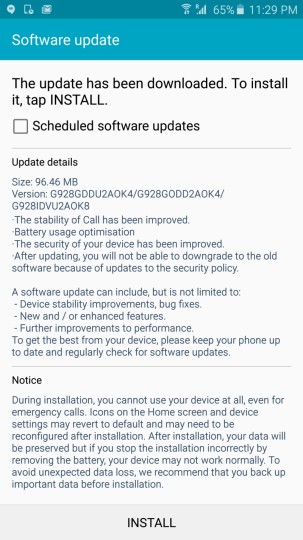
Samsung Galaxy S6 edge plus is getting 96.46 MB software update which will Bring the following changes to your Samsung Galaxy S6 edge plus . The update is based on Android Lollipop only .


- Device Stability improvements , bug fixes .
- New and / or enhanced features .
-Further improvements to performance and more 


Samsung Galaxy S6 edge+ receiving new Software update


Your Phone should be on Stock firmware to Install the update . To get this update you have to manually check for updates by going to Settings > About Phone > Updates .

via


Wednesday, 29 April 2015

Android 5.1 to bring Guest Mode on Samsung Galaxy S6 and S6 edge

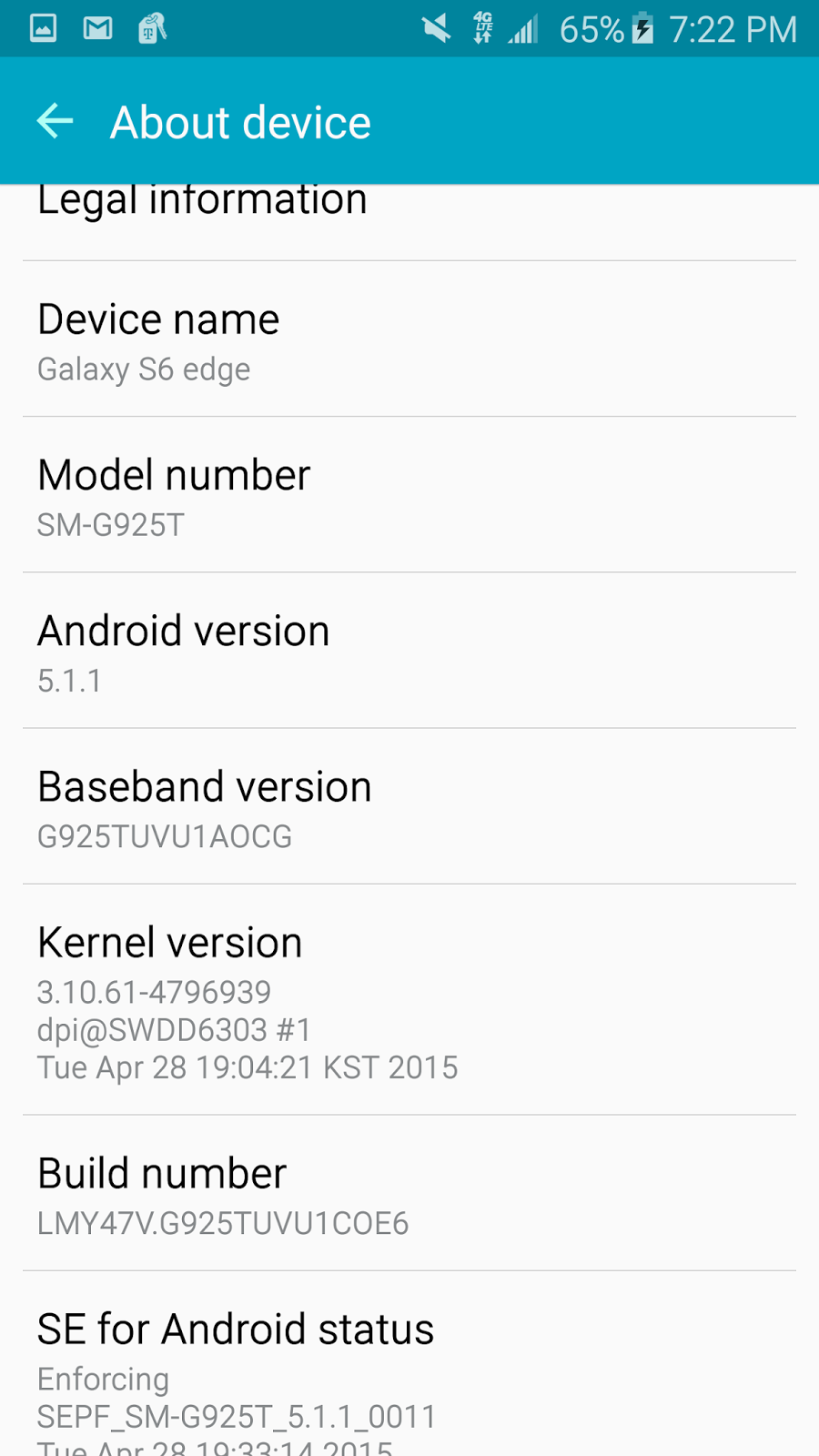
Recently Samsung Released Android 5.1.1 for T-Mobile Samsung Galaxy S6 edge and It brings many changes in the User Interface , also it fixes many bugs .

S6 and S6 edge users will now be able to switch users , Guest mode is also available in the new update .


Pic credits - Sammobile

Samsung Galaxy S6 and S6 edge users can soon update their Smartphones to Android 5.1.1 .

Source - Sammobile


Update T-Mobile S6 edge with Android 5.1.1

There is a surprise for T-mobile S6 edge users , finally they can now update their Smartphone to Android 5.1.1 . 

Samsung Galaxy S6 edge comes with Android 5.0.2 which has many bugs like - The UI is laggy , improper RAM management and memory leak bug .


Update T-Mobile S6 edge with Android 5.1.1


Android 5.1.1 will solve all the bugs , and will give advance interface to S6 edge users . The update will lock the boot loader of the device .


You can see the video below , posted by a Samsung Galaxy S6 user -


Source | Via


Friday, 24 April 2015

Android 5.1.x Gapps | Download | CM 12.1 | Google Apps

Wer eine Custom Rom nutzt, wie zum Beispiel CyanogenMod 12.1, der bekommt keine Google Anwendungen (Google Apps bzw. Gapps). Diese können - wie die Custom Rom selbst - über das Recovery geflasht (installiert) werden. In meinem Fall verwende ich immer TWRP.
CyanogenMod bietet Gapps direkt über die Wiki-Homepage an (Download). Dort unter Download die Datei herunterladen (immer eine .zip Datei) und dann den Hashwerte überprüfen (md5), wie oben im Bild. 
Die für mich persönlich deutlich bessere Lösung wäre nur Google Play zu installieren und dann darüber alles andere wie Youtube, Gmail, Kalender, usw. usf. nachzuinstallieren. Damit kann ich entscheiden, was ich haben möchte und was nicht.
Unter Einstellungen -> Über das Telefon bzw. Info einfach überprüfen, welche Version installiert wurde (Android-Version - in diesem Fall Android 5.1.1) und dann die Gapps suchen.
Der User TKruzze (aus dem XDA-Forum) ist bekannt für seine PA Gapps, welche es in Zukunft nicht mehr von Ihm geben wird (siehe hier). Die Dateien sind noch online, von Ihm selbst hier hochgeladen und sonst von anderen Seiten neu hochgeladen, wie zum Beispiel hier.
Pico (uni) wäre für alte Geräte, wie das Galaxy S, dann gibt es nur pico, was ich zum Beispiel nutze (Google Play und Google Play Service). Wer alles haben möchte, der wählt 5.1 Stock aus. Bedenkt aber immer dabei, dass das für "böse Jungs" ein guter Weg ist, um euch zu schaden. Aus diesem Grund gibt es diese Hashwerte, damit Ihr überprüfen könnt, ob es sich um die selbe Datei handelt oder ob diese von jemanden verändert wurde. 

Sunday, 19 April 2015

Verbindung prüfen und wiederholen | Lösung | Google Play | Android 5.1

Wer eine Systemupdate durchführt, der könnte nach einem Neustart die Meldung "Verbindung prüfen und wiederholen" erhalten, wie hier im Bild zu sehen:
Habe eine Update von Android 5.0.2 auf 5.1 durchgeführt und konnte Google Play nicht nutzen. Es hilft auch nichts, wenn die Gapps (Google Apps) über ein Recovery geflasht werden.
Ich kann dagegen nichts tun, ob ich auf Nochmal klicke, Cache leere, Daten löschen... es bleibt ohne Ausnahme so, wie oben im Bild zu sehen! Die Lösung ist das Google Konto zu entfernen und wieder neu einzutragen. Dazu gehen wir so vor:
Menü -> Einstellungen -> Konten -> Google -> auf das Konto/Email klicken ->
Menü (oben rechts die drei Punkte) -> Konto entfernen
Konto entfernen
Nun öffnen wir wieder Google Play und es erscheint
Hier tragen wir unsere Account-Daten ein und am Ende können wir wie gewohnt die Play Store nutzen.
Das Problem werden die Meisten haben, wenn eine Custom Rom auf dem Smartphone geflasht wurde.

Thursday, 16 April 2015

XtreStoLite Rom for Samsung Galaxy S6

Samsung Galaxy S6 will surely have a great developer support on xda and developers has already started to make Custom Roms for Samsung Galaxy S6 G920F version .


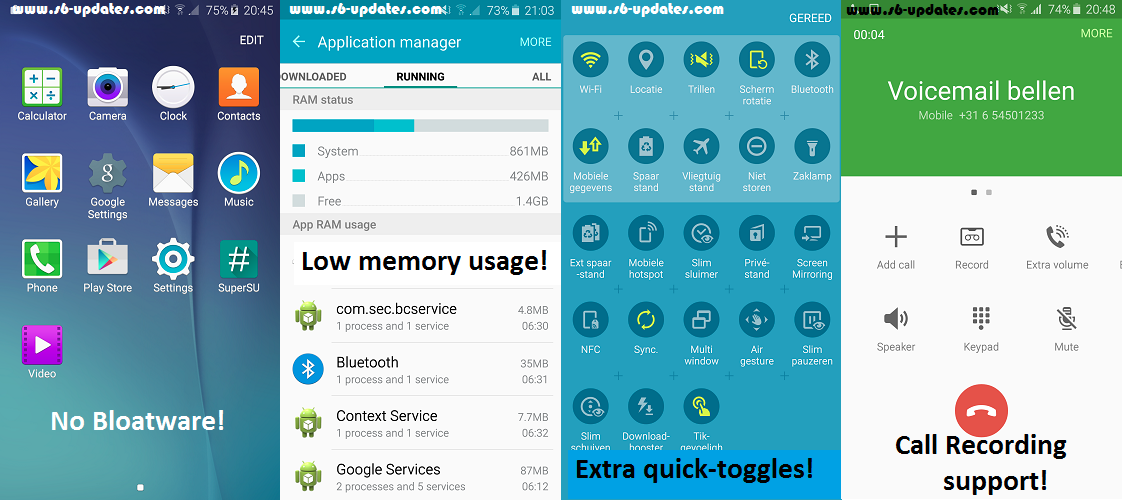
Thanks to Xda developer edgarf28 for making this lightest custom rom for Samsung Galaxy S6 . The rom is based on Official Samsung Galaxy S6 firmware of Android 5.0.2 Lollipop . It is the lightest and fast custom rom for Samsung Galaxy S6 . It comes with tons of features .

Features of  XtreStoLite Rom for Samsung Galaxy S6 -


  • Many bloatware removed
  • Pre rooted and Busybox installed
  • Native Call recording 
  • Only 667 mb
  • Messaging and call tweaks
  •  and more ...
Screenshots of  XtreStoLite Rom for Samsung Galaxy S6 -

XtreStoLite Rom for Samsung Galaxy S6

Note - We are not responsible for any damaged caused to your Smartphone , Do it on your own risk !

This rom is for G920F ( Samsung Galaxy s6 only ) 


Prerequisite - First you must be Rooted and have Custom Recovery Installed on Your Samsung Galaxy S6 , If you don't know how to root or Install custom recovery , follow these below guides -


How to Install XtreStoLite Rom on Samsung Galaxy S6 -

Step 1. Download The XtreStoLite Rom file for Samsung Galaxy S6 from below . 

Step 2. Now boot to Custom recovery by pressing volume up + Power + Home button at the same time !

Step 3. Clear data / Clear cache and select Install zip from sdcard .

Step 4. Choose XtreStoLite Rom zip and Install it , then reboot your System after installation .

Step 5. Booting will take 5-15 minutes !


Downloads -

XtreStoLite Rom Beta  - Download Here


Tuesday, 14 April 2015

How to Install Cyanogenmod 12 ( Cm12 ) on Samsung Galaxy S6


Update - Download Cyanogenmod 13 for Galaxy S6

Samsung Galaxy S6 seems to be the most popular device of the year 2015 and it will get plenty of development support by the developers . 


Samsung Galaxy S6 comes with Android 5.0.2 Lollipop ( Touchwiz ) , Samsung has given its own taste of Lollipop to Samsung Galaxy S6 , but still it lacks some features and style which comes with Official Google Android 5.0.2 Lollipop . 


Cyanogenmod 12 ( cm12 ) Samsung Galaxy S6


But no need to worry , users can install Cyanogenmod 12 to get Pure Android 5.0 Lollipop taste . Below is the Guide to Install Cm12 on Samsung Galaxy S6 .

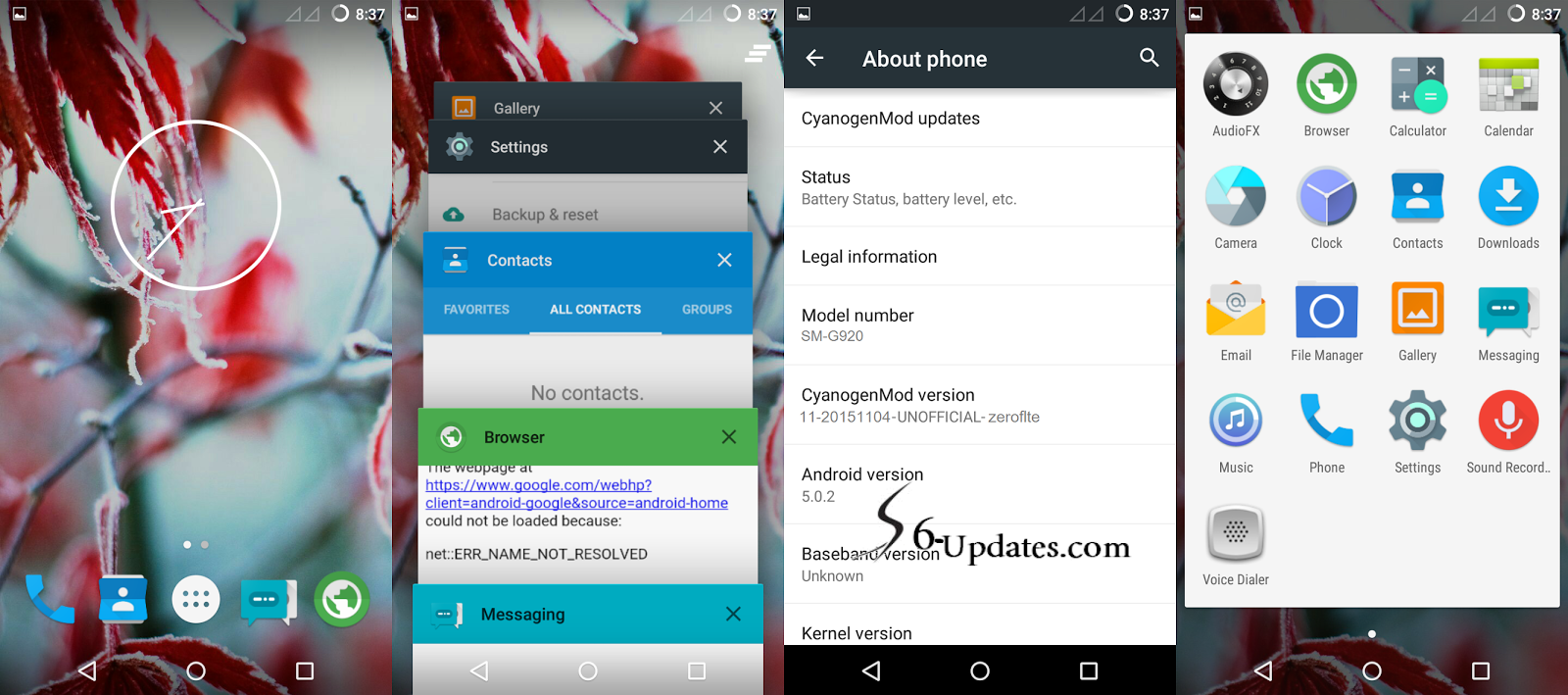
Screenshots of Cm12 for Samsung Galaxy S6 -


Note - We are not responsible for any damaged caused to your Smartphone , Do it on your own risk !


Cm12 Screenshots Samsung Galaxy S6

Prerequisite - First you must be Rooted and have Custom Recovery Installed on Your Samsung Galaxy S6 , If you don't know how to root or Install custom recovery , follow these below guides -


How to Install Cm12 for Samsung Galaxy S6 -

Step 1. Download The cm12 file for Samsung Galaxy S6 from below . 

Step 2. Now boot to Custom recovery by pressing volume up + Power + Home button at the same time !

Step 3. Clear data / Clear cache and select Install zip from sdcard .

Step 4. Choose cm12 zip and Install it , then reboot your System after installation .

Step 5. Booting will take 5-15 minutes !


Downloads -

Cm12 for Samsung Galaxy S6 - Download Here

Download - Coming soon ! Keep checking our Facebook Fan page !

Friday, 10 April 2015

Android 5.0.2 Lollipop Update rolling for S6 edge

Samsung Galaxy S6 edge which comes with dual edge display is now going to be updated to latest Android 5.0.2 Lollipop .

The update is of 250.53 mb in size and it comes with many changes with some app updates . The update seems to be for SM-G925F .

S6 edge lollipop 5.0.2


Source | Via


Thursday, 9 April 2015

Samsung Galaxy S6 SM-G920T First Official firmware available

As Samsung Galaxy S6 is hitting the stores , their Firmwares are also getting uploaded by the Samsung Firmware websites .


Android 5.0 lollipop Samsung Galaxy S6
Source - PhoneArena.com

Now users can Install Official firmware on their  T-Mobile Samsung Galaxy S6 ( SM-G920T ) , Users can Install it manually by ODIN software .


The firmware info is as follows -

  • Model name              SM-G920T
  • Country                     USA (T-Mobile)
  • Version                     Android 5.0.2
  • Changelist                4351281
  • Build date                 Thu, 26 Mar 2015 17:56:12 +0000
  • Product code             TMB
  • PDA                          G920TUVU1AOCG
  • CSC                           G920TTMB1AOCG

If will be helpful for the users who plays with Root and Custom roms on Their Samsung Galaxy S6 .

Source


Sunday, 8 February 2015

Akkulaufzeit verbessern | Android 5 | CyanogenMod 12

Mit CyanogenMod 12 könnt Ihr die Akkulaufzeit deutlich steigern. Kauf Ihr euch ein Smartphone, wie zum Beispiel ein Samsung Galaxy, dann habt Ihr erst einmal eine Tonne Bloatware auf eurem Gerät. Bloatware wäre Software bzw. in diesem Fall Apps, welche vorinstalliert sind und teilweise ununterbrochen im Hintergrund laufen. Das kostet euch Arbeitsspeicher und Akku, erst Recht bei denn Apps, welche die Standortdaten sammeln. Wollt Ihr diese Bloatware stoppen, dann könnt Ihr das tun aber diese startet von selbst neu. Wer die Apps entfernen will, der könnt auch auf Probleme stoßen, da sich einige nur mit Root-Rechten entfernen lassen. Bei Root hört der Spaß auf und einige könnte Ihre Garantie verlieren.
Mir persönlich ist das ziemlich egal, da ich kein Smartphone ohne CyanogenMod mehr kaufen würde. Klar, am Anfang läuft es nicht so, wie es laufen sollte aber darum soll es hier nicht gehen.
Wer CyanogenMod 12 (Android 5.0.2 und 5.1) auf seinem Smartphone/Tablet hat, der kann seine Akkulaufzeit deutlich steigern.
Unter Einstellungen rufen wir den Punkt Apps auf.
Wir wechseln zu Aktiv (einfach von rechts nach links wischen). Hier sehen wir alle Apps, welche Arbeitsspeicher (RAM) verbrauchen.
In der Liste suchen wir jetzt Apps, welche wir nicht nutzen. Habt Ihr ein Wetter-Widget, dann werden hier Wetter-Apps zu sehen sein, wie oben im Bild. Die Cloud, in diesem Fall Copy, die muss nicht immer laufen aber in meinem Fall will ich am Smartphone sofort sehen, wenn neue Daten hinzugefügt worden sind, deshalb bleibt diese bei mir an. Nun sehen wir Vine, wäre so etwas wie Youtube, nur mit "mini Videos". Im Taskmanager werden diese Apps nicht zu sehen sein.
Vine nutze ich zum Beispiel einmal die Woche, es läuft aber 24 Stunden am Tag im Hintergrund und war nicht einmal vorinstalliert. Das bedeutet für euch, es gibt einige Apps, welche sich selbst starten.
Schaut mal, was passiert, wenn ich die App öffne und dann wieder schließe.
"ResourceService" sagt euch nichts, bei anderen Apps, wie zum Beispiel bei Poweramp (Musik Player) gibt es den "Headset Service" (automatisches Abspielen von Musik, wenn Kopfhörer eingesteckt werden). Mir ist keine nützliche Funktion bekannt, deshalb wird das bei mir deaktiviert.
Unter der Rechteverwaltung (wie komme ich dahin?) könnt Ihr hier unter Auto start das ganze beenden.